Restaurant chains
Multi-Location Restaurant Management for a Growing Chain
How to run a multi-location restaurant: one menu and recipe cards, a central warehouse, transfers and debts between branches, and fair branch comparison in AZN.
UniPOS11 min read
A first restaurant usually runs on the owner's personal attention. The owner is in the dining room every day, checks deliveries in person and sees the plates leaving the kitchen. That model stops working with the second location, because nobody can be in two places at once. By the third location, unwritten rules turn into direct losses. The same dish goes out in different portion sizes, prices drift apart and stock moves between sites without paperwork.
This article sets out the core rules for running a restaurant chain: standardizing the menu and prices, recipe cards, purchasing, a central warehouse and transfers, comparing locations, staff permissions and a plan for opening the next branch. All figures are illustrative and are given in AZN only to show the calculation method.
Contents
- Standardizing the menu and prices across locations
- One recipe card standard for every location
- Central purchasing versus branch purchasing
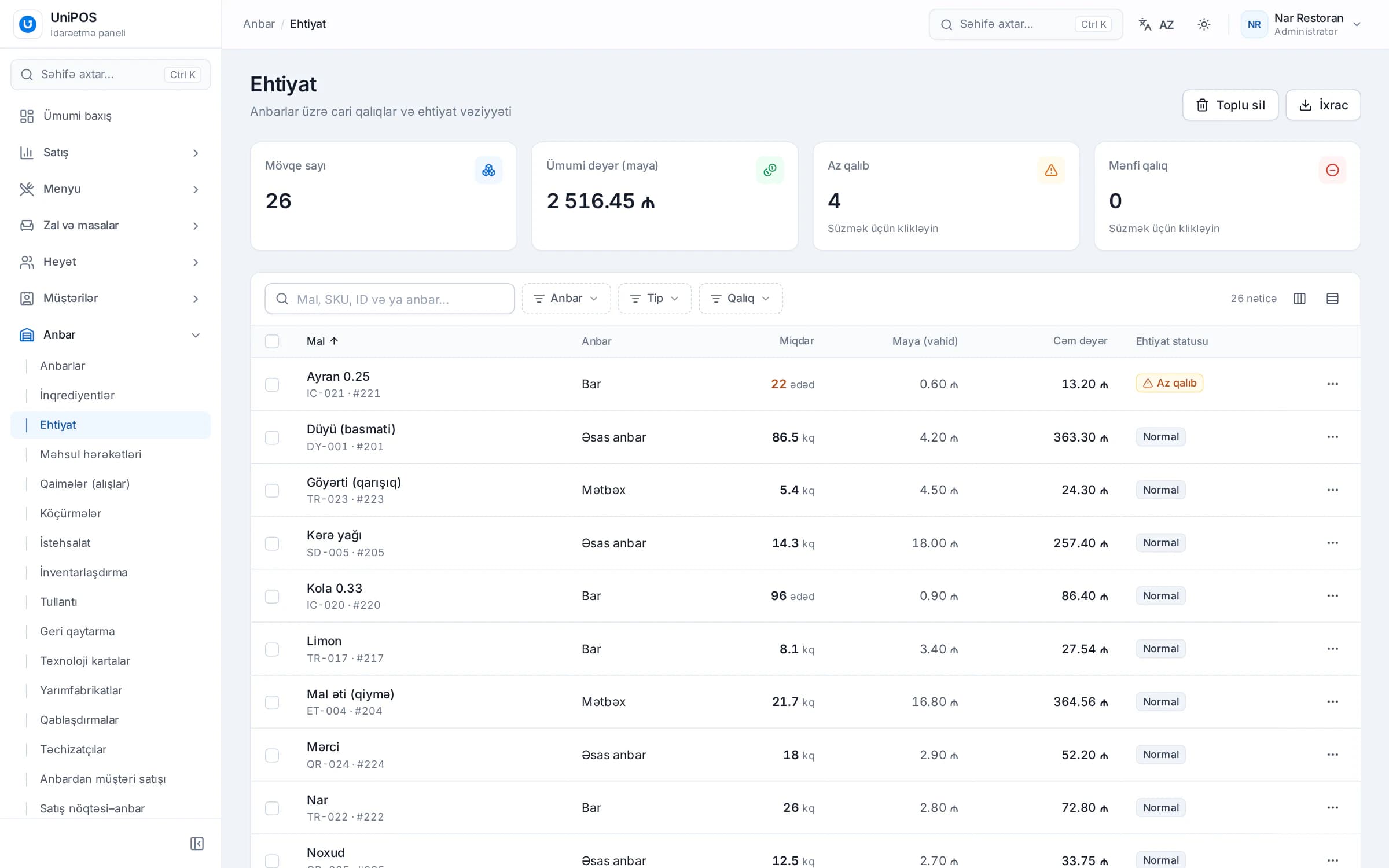
- Central warehouse and transfers between locations
- Inter-branch sales and branch debts
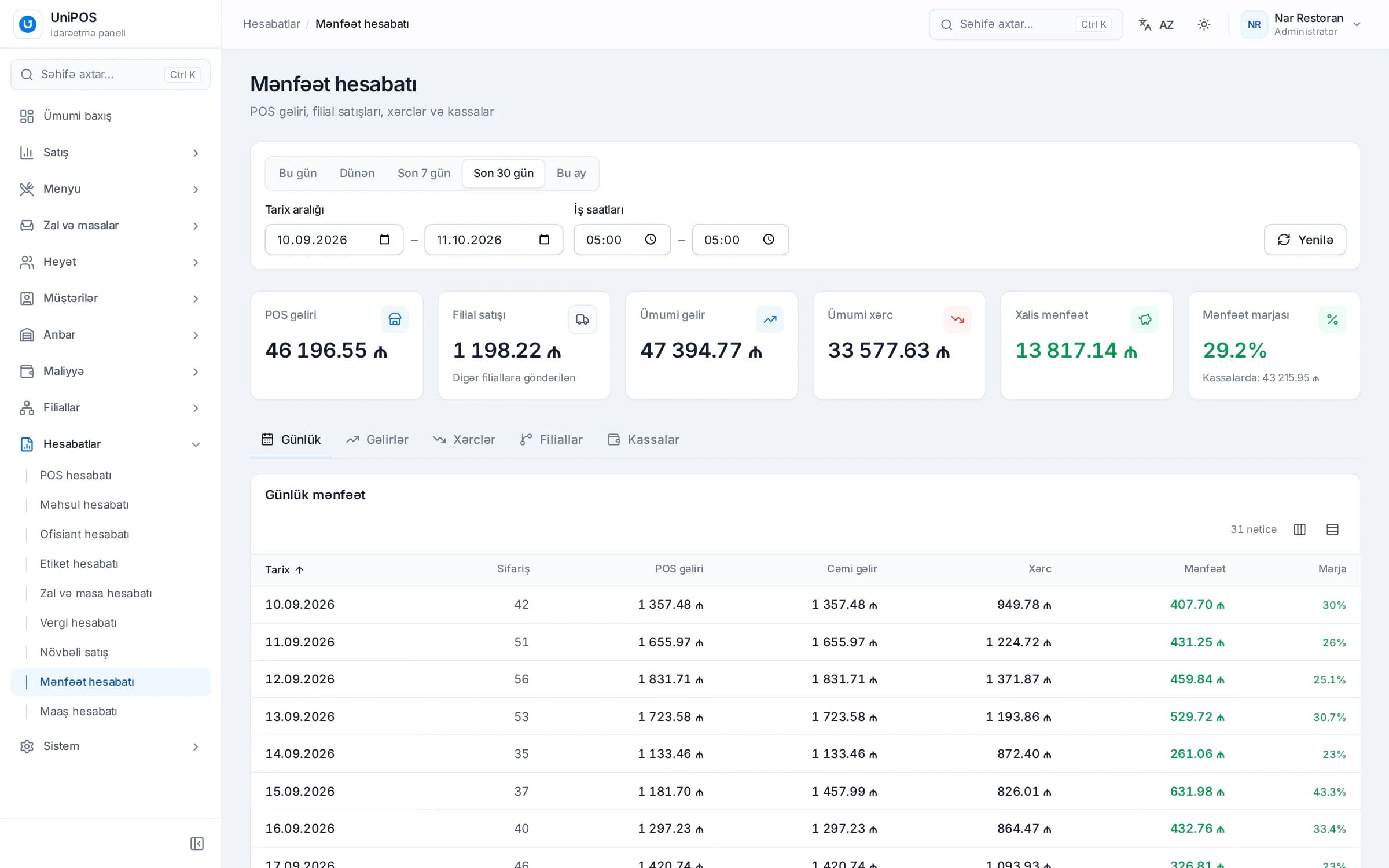
- Comparing restaurant locations correctly
- Staff and access permissions by location
- Daily and weekly control across all locations
- When a location loses internet
- A step-by-step plan for opening the next location
- Multi-location management in UniPOS
Standardizing the menu and prices across locations
A chain is built on one menu. Whichever location guests visit, they should see the same item names, the same ingredients and the same prices. Otherwise trust in the brand weakens and reports become hard to compare. If one location sells "Chicken kebab" and another sells "Kebab (chicken)", combining them in one report takes extra work.
The most reliable approach is to build the menu in one place, usually the flagship location, and copy it to the others. Only justified differences are then adjusted locally. A location-specific price makes sense in the following cases:
- Occupancy costs differ. If a mall location pays far more rent than a neighborhood location, a price difference can be justified.
- The service format differs. If one location offers full table service and another only takeaway, service charges and prices may differ.
- An item is only produced at one site. If only one location has a tandoor oven, tandoor dishes are sold only there.
Record every difference in a separate list: which item, which location and why. Without such a list, prices drift apart for no reason within a few months. Price changes should be decided centrally and applied at all locations on the same day. A branch manager changing menu prices on their own is a typical cause of inconsistency in chains.
Category structure, item names and modifiers should also be identical at all locations. If a "Meat dishes" category exists at one location but not at another, a category comparison is impossible.
One recipe card standard for every location
The menu tells guests what is sold; the recipe card defines how each dish is made. Having recipe cards at one location is not yet a chain standard. The card must be the same everywhere, and kitchen staff must follow it. We explain gross weight, net weight and yield in detail in our article on inventory and food cost.
A chain needs three additional rules:
- Only one person changes a card. The executive chef or food technologist approves recipes. A location's chef can propose changes but does not edit the card.
- Portion weight and plating are written down. Besides weights, the card specifies the plate, garnish and presentation. A photo of the dish on each card is also useful.
- Semi-finished items have their own cards. If sauces, dough and marinades are made in a central kitchen, their cards are kept centrally. The location receives the prepared item and only does the final cooking.
Identical cards also matter for comparison. If the same dish has a different food cost at two locations, the cause is either the purchase price or a portion standard that isn't being followed. When the cards themselves differ, the gap can't be explained.
Central purchasing versus branch purchasing
When a second location opens, the first organizational question is who buys the stock. There are two models, and in practice they are often combined.
With central purchasing, goods are ordered from one place, received into a main warehouse and distributed to locations. Larger volumes make price negotiations with suppliers easier, and quality is consistent everywhere. The cost of this model is logistics: you need transport and extra paperwork.
Branch purchasing is more flexible but harder to control. When each location works with its own suppliers, the purchase price of the same item can differ between sites, and quality is harder to check.
A mixed model suits most chains:
| Product group | Recommended approach | Reason |
|---|---|---|
| Meat, chicken, fish | Central purchasing | High-value items; quality and price must be consistent |
| Alcohol, coffee beans | Central purchasing | High value, requires close control |
| Dry goods, oil, spices | Central purchasing | Long shelf life; bulk buying pays off |
| Packaging and disposables | Central purchasing | Design must be the same at every location |
| Bread, herbs, dairy | Branch purchasing from approved suppliers | Need fresh daily delivery |
Even when a location buys on its own, the supplier list and agreed prices should be set centrally. Every purchase should be recorded with an invoice, and supplier balances should be tracked separately.
Central warehouse and transfers between locations
Central purchasing creates a main warehouse. In some chains it is a separate building; in others the flagship location's storeroom serves the whole chain. If there is also a central kitchen, semi-finished items are prepared there and sent to the locations.
The basic rule: every item leaves the warehouse with a document, and every item arriving at a location is received against a document. In practice you often see something else. The driver drops off the goods, the location accepts them without checking, and the invoice is written at the end of the week. By month end both warehouses show a discrepancy, and nobody can tell where it came from.
The correct transfer procedure:
- The location sends its needs as an order: item, quantity and delivery date.
- The central warehouse picks the goods and creates a transfer or inter-branch sale document in the system.
- The invoice is printed and travels with the goods.
- At the location, goods are weighed, counted and checked against the invoice. Any difference is noted on the invoice and signed by both sides.
- Only then are the goods received into the location's stock.
Keep transfers and inter-branch sales apart. A transfer moves goods from one warehouse to another at cost. In an inter-branch sale, goods are supplied at a set price, often with a markup, and the receiving location owes that amount. Which model fits depends on the legal status of your locations and your accounting rules. If your locations are registered as separate legal entities, discuss this with your accountant.
Inter-branch sales and branch debts
Here is an illustrative example. The central kitchen prepares marinated meat for kebabs. One kilogram costs 14.00 AZN to produce. Location B orders 50 kg a week.
| Item | Transfer (at cost) | Inter-branch sale (10% markup) |
|---|---|---|
| Quantity | 50 kg | 50 kg |
| Price per kg | 14.00 AZN | 15.40 AZN |
| Invoice total | 700.00 AZN | 770.00 AZN |
| Central kitchen income | 0 | 70.00 AZN |
| Location B ingredient cost | 700.00 AZN | 770.00 AZN |
| Location B debt | None | 770.00 AZN |
If Location B pays 500 AZN during the week, the outstanding balance is 770 − 500 = 270 AZN. This amount builds up with later deliveries and is reconciled at month end. When debts aren't recorded in the system, after a few months nobody can say exactly which location owes how much to which.
Use the same model for all locations. If one location receives goods at cost and another with a markup, their food cost figures are no longer comparable. The first location's ingredient cost looks artificially low.
Rule of thumb: if you want to evaluate the central kitchen as its own cost center, use inter-branch sales. If you only need to track the movement of goods, a transfer at cost is enough.
Comparing restaurant locations correctly
Comparing locations by total sales alone leads to the wrong conclusions. The location with the highest sales isn't always the most profitable. A fair comparison needs three conditions:
- The same KPIs. Sales, check count, average check, food cost, location expenses and location profit are calculated the same way for every site.
- The same period. A full month at one location is not compared with the first two weeks of a new one. Weekly comparisons use the same days of the week, and public holidays are assessed separately.
- The same accounting rules. Transfers use the same pricing, and rent and wages are charged to each location's own expenses. Shared costs (accounting, marketing, office) are either allocated by one rule or kept separate.
An illustrative month:
| KPI | Location A (city center) | Location B (residential area) | Location C (shopping mall) |
|---|---|---|---|
| Sales | 60,000 AZN | 45,000 AZN | 52,000 AZN |
| Checks | 4,000 | 3,600 | 2,600 |
| Average check | 15.00 AZN | 12.50 AZN | 20.00 AZN |
| Food cost | 30% | 33% | 36% |
| Ingredient cost | 18,000 AZN | 14,850 AZN | 18,720 AZN |
| Sales − ingredients | 42,000 AZN | 30,150 AZN | 33,280 AZN |
| Location expenses (rent, wages, utilities) | 30,000 AZN | 20,000 AZN | 31,000 AZN |
| Location profit | 12,000 AZN | 10,150 AZN | 2,280 AZN |
| Profit as % of sales | 20.0% | 22.6% | 4.4% |
The table leads to three conclusions. Location A has the highest sales, but Location B is ahead on profit as a share of sales, because its rent and payroll are much lower. Location C has the highest average check, but its food cost reaches 36% and its expenses are high, so only 4.4% of sales remains as profit.
For Location C, the first step is to find out why food cost runs 3-6 percentage points above the other locations: portions, write-offs and sales mix. If expensive meat dishes sell more there, the higher food cost may come from the menu mix. Only a product sales report can show that.
The average check deserves separate attention. At Location B it is 12.50 AZN. If waiters suggest drinks and desserts and the average check rises by 1.00 AZN, monthly sales grow by 3,600 AZN at the same number of checks. Calculations like this are only possible with reliable statistics for each location.
Staff and access permissions by location
As the number of locations grows, decide in advance what each employee can do in the system. A whole shift sharing one cashier password, or a branch manager seeing the entire chain's financial reports, weakens control.
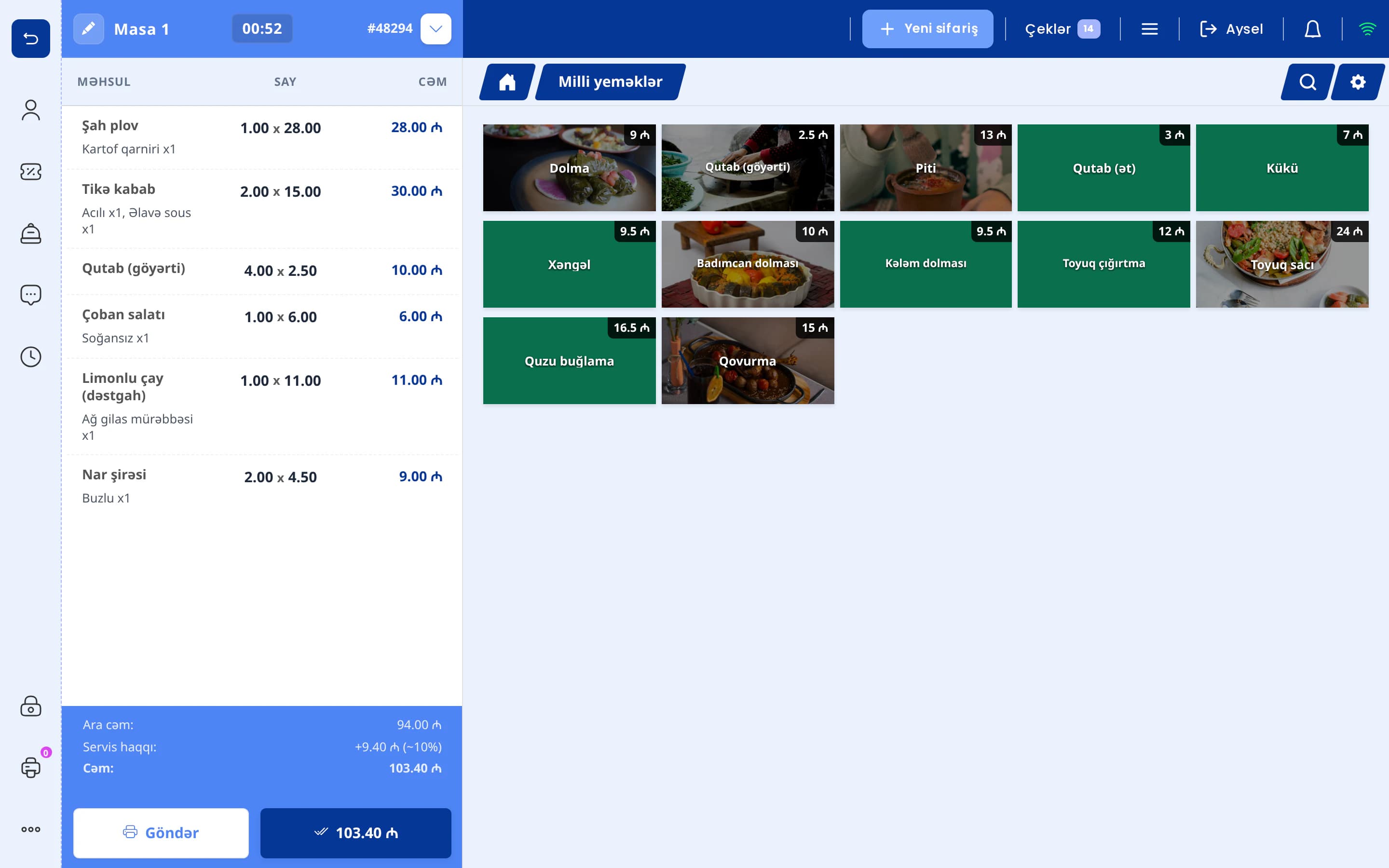
- Waiters and cashiers. Each employee has their own PIN. Deleting a check, applying a discount or comping an item is only available to authorized staff.
- Branch manager. Runs sales, stock and staff at their own location. They usually don't get the right to change menu prices or recipe cards.
- Stock keeper and accountant. Have access to the inventory and finance sections. View-only access is often enough for the accountant.
- Owner and chain management. See all locations and all sections.
When an employee leaves or moves to another location, their access should be changed the same day. Reviewing deleted checks, discounts and comps at each location every week helps you catch abuse of permissions early.
Daily and weekly control across all locations
You can't be at three locations every day, and you don't need to be. A more effective approach is a fixed review schedule: which figures you check daily and which weekly or monthly.
| Frequency | What to review |
|---|---|
| Daily | Sales and check count per location, open checks, deleted checks and items, discounts, cash balance |
| Weekly | Stock levels of key items, transfer invoices and receiving discrepancies, branch debts, supplier balances |
| Monthly | Stock count at every location, food cost, location profit, average check, sales by waiter |
The daily review should be short. The goal isn't to analyze every number but to spot anything unusual. For example, if a location normally deletes 2-3 checks a day and one day deletes 15, find out why that same day.
When a location loses internet
Every so often one of your locations will lose internet: the provider has an outage, the mall is under maintenance, a cable gets damaged. In a system where all locations work directly from a server, the register stops when the internet does, and so do sales.
When choosing software, check that each location can work without internet. In such a system the data is stored on the location's register computer and sent to the server automatically once the connection is back. Waiter phones and kitchen printers should also depend on the restaurant's Wi-Fi network rather than on the internet.
This has one practical consequence for the owner. Sales from a location that lost internet appear in reports with a delay. If one location's sales look much lower than expected in the evening, first check whether its data has reached the server, and only then draw conclusions.
A step-by-step plan for opening the next location
The following sequence works for the second location and every one after it:
- Put your standards in writing. Document the first location's menu, recipe cards, receiving procedure and register operations. A rule that was never written down at the first location can't be passed on to a new one.
- Define the menu differences. List in advance which items the new location won't offer, which it will add and any price differences.
- Set up the supply plan. Decide which goods come from the center and which are bought locally, which days deliveries go out and who signs the invoices.
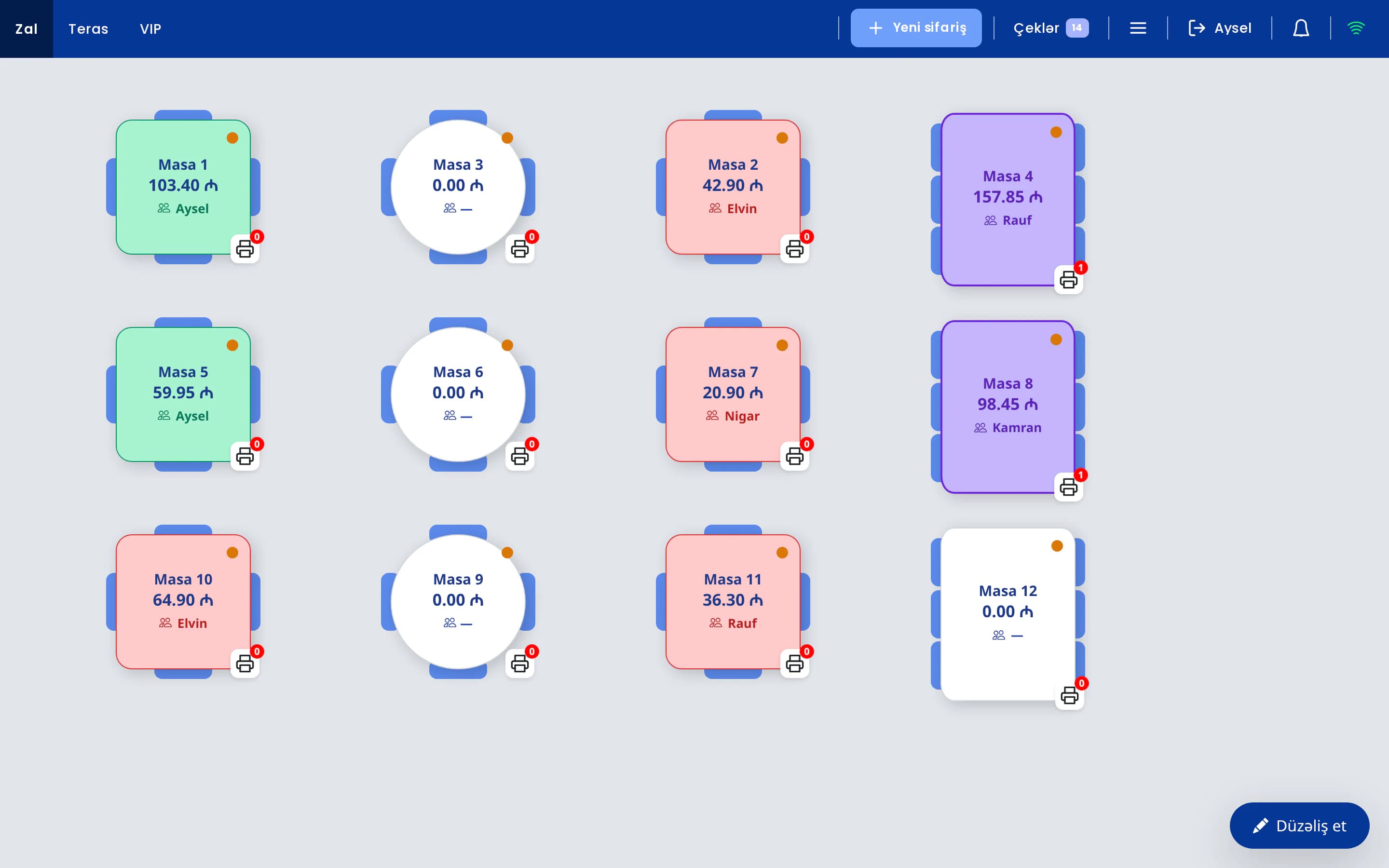
- Create the location in the system. Copy the menu, create warehouses (for example kitchen and bar) and set up dining areas and tables.
- Install and test the equipment. The register computer, kitchen printers, waiter phones and fiscal device should be tested before opening. Our E-Kassa integration page covers connecting the fiscal device.
- Enter opening stock through a count. All goods sent to the location before opening should be received against an invoice and confirmed by a count. This is the location's first stocktake.
- Assign staff and permissions. Give each employee their own PIN and set permissions by role. Moving some experienced staff to the new location for the first weeks helps pass on the standards faster.
- Run trial days. Before the official opening, serve a limited number of guests. The register, kitchen printers and waiter workflow are tested with real orders.
- Run the first month under closer control. Check deletions, discounts and stock of key items every day, and do a full stock count at month end.
- Evaluate the new location fairly. Sales are usually lower in the first months. Compare the new location with its own month-by-month trend, not with a full month at an established location.
Multi-location management in UniPOS
In UniPOS, a chain is managed within one account. Each location runs its own register, and all locations are controlled from the browser-based back office. Here is how the processes described above work in the system:
Each location can have several warehouses: a main warehouse, kitchen and sales stock. Recipe cards, semi-finished items, production, purchase invoices and stock counts are handled in the inventory module. Back-office users get full, edit or view-only access, with permissions set per section. Waiters sign in to the register with a PIN, and more than 40 POS permissions can be set individually.
Register data is stored on the register computer itself. When the internet goes down, sales continue, and once the connection is back the data is sent to the server automatically. The register shows how many records are waiting to be sent.
For owners there is the Android app UniPOS Manager. It has a branch switcher, including an "all branches" view. Each widget on the board has its own date and branch scope, and the branch report widget shows locations side by side. Notification settings, such as alerts for deleted checks, are configured per location. You can also choose the time and locations for the morning and end-of-day report sent via Telegram.
The app also offers an AI assistant as a separately enabled module. It answers questions across all locations the user is allowed to see, but it never changes any data. See all features on the multi-location management page.
All your locations in one system
In a demo we'll show, on a real example, how your locations' menus, warehouses and transfer process can be set up in UniPOS.
Request a demo