Restaurant management
How to Choose a Restaurant POS System (10 Key Criteria)
How to choose a restaurant POS: 10 criteria from E-Kassa and offline operation to inventory and total cost, with vendor questions and a demo checklist.
UniPOS9 min read
A restaurant POS system is chosen once and then used for years. Every check, order and shift passes through it. The consequences of a poor choice rarely appear on the first day. They tend to surface on the first busy weekend, when the internet goes down, during a tax inspection, or at month-end when food cost has to be calculated. Replacing the system later means rebuilding the menu, retraining staff and losing sales history.
This article sets out 10 criteria to review before signing a contract. Each criterion is followed by a question for the vendor, and a demo checklist is provided at the end. The aim is to assess every offer, including ours, against the same standard.
In this article
- E-Kassa integration
- Offline operation
- Interface, languages and permissions
- Waiter app, kitchen display and printers
- QR menu and table ordering
- Inventory and food cost
- Reporting and control
- Support and setup
- Integrations
- Price and total cost
- Questions for the vendor
- Demo checklist
- How UniPOS meets these criteria
1. E-Kassa integration
In Azerbaijan, restaurant receipts must be fiscalized through E-Kassa. This is a legal requirement, not an optional feature. The relevant question is therefore not only whether a system works with E-Kassa, but how the integration is built. In some setups the cashier closes the sale in the POS and then enters the same amount manually on a separate fiscal device. This adds time to every check and creates a risk of mismatched totals.
With a proper integration, the fiscal receipt prints as soon as the payment is closed. Refunds are also issued with a fiscal document. Opening and closing the fiscal shift and printing the X report are done from within the POS. For more detail, see our article on E-Kassa and restaurant cash registers.
If you already own a fiscal device, confirm in advance that the new software supports your specific provider. Otherwise you may need to replace the device as well. During the demo, review how card payments appear on the fiscal receipt, and confirm that the end-of-day POS report matches the fiscal report.
Question for the vendor: Which E-Kassa providers do you support? Can refunds, X reports and receipt copies be processed from the POS?
2. Offline operation
If a system runs entirely in the cloud and contacts a server for every action, a lost connection means tables cannot be opened, orders do not reach the kitchen and checks cannot be closed. This usually happens at the least convenient moment, when the dining room is full.
In a system that can operate offline, data is stored on the POS computer at the venue. The main terminal, waiter phones and printers continue to communicate over the restaurant network, and data is sent to the server automatically once the connection is restored. We recommend verifying this in practice. During the demo, switch off the router, place several orders and take payments. Then reconnect and confirm that those sales appear in the reports.
Question for the vendor: What continues to work without internet, and what stops? Where can I see the sync status?
3. Interface, languages and permissions
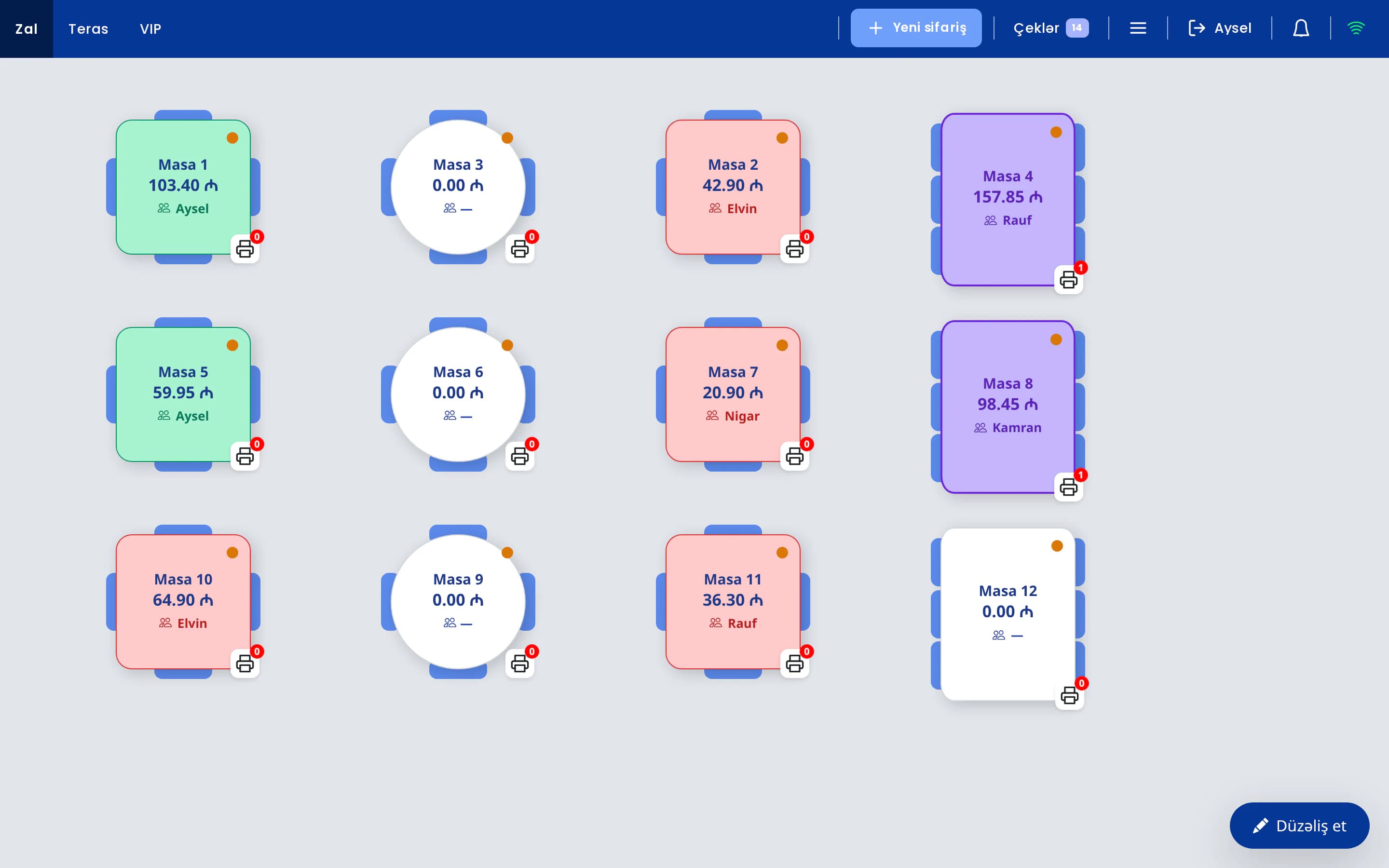
Staff turnover in restaurants is high, so someone will be learning the system almost every month. A simpler interface leads to fewer errors. The table map should distinguish free, occupied and bill-requested tables by color. It should be possible to set modifiers such as "no onions" or "medium rare" as required choices, so that incomplete orders do not reach the kitchen.
Interface language also matters. If some of your team members are more comfortable working in Russian or Turkish, switching the interface to that language shortens training. Security is often overlooked. Each employee should have a personal PIN or card, and discounts, voids, comps and refunds should be available only to staff with the appropriate permission.
Question for the vendor: Which actions can be restricted by permissions? Assess training time in practice rather than relying on the vendor's estimate: run the demo with your newest waiter and have them enter an order.
4. Waiter app, kitchen display and printers
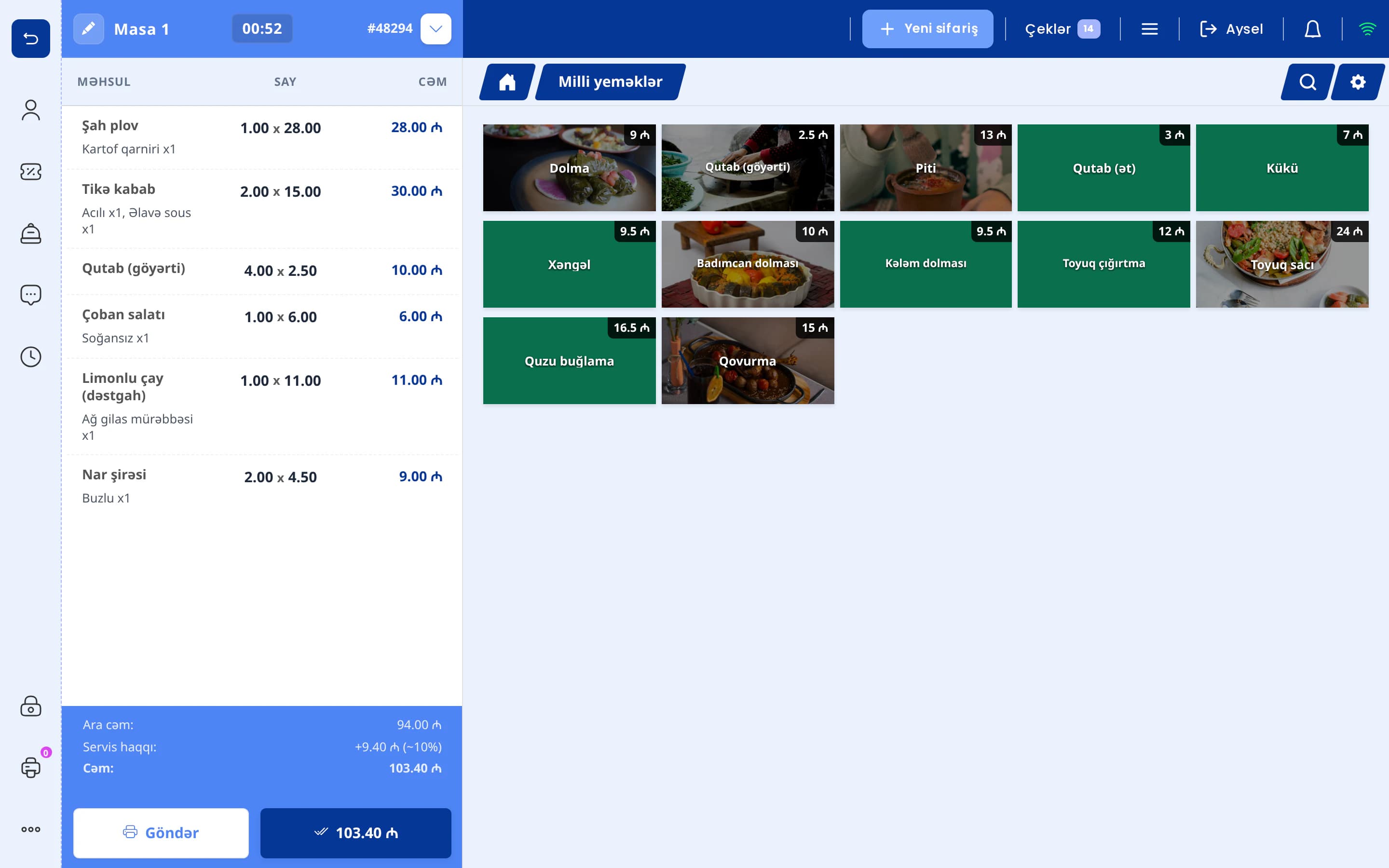
When waiters have to return to the terminal for every order, queues form at peak times and orders get mixed up. When the order is entered on a phone at the table and sent directly to the kitchen and bar, service becomes noticeably faster.
Review three points separately. Does the waiter app require dedicated terminals, or does it run on standard Android and iOS phones? Can orders be routed by category, for example hot dishes to the kitchen printer and drinks to the bar? Is there a paperless kitchen display (KDS) that highlights late orders? More information is available on the waiter app page.
Question for the vendor: Do I need to purchase dedicated hardware for waiters? Which device does the kitchen display run on?
5. QR menu and table ordering
Many restaurants already use a QR menu, but the differences lie in the details. Some QR menus are simply a link to a PDF file. Every price change requires uploading a new file, and orders are still taken by a waiter. In a QR menu connected to the POS, products and prices are managed in one place. When a guest scans the QR code on the table and places an order, the order goes directly to the POS.
Ask how incoming orders are handled: are they written directly onto the table's check, or does a staff member confirm them first? Also clarify where prices come from and where the guest pays. Ask which languages the guest menu supports. For venues with many tourists, a multilingual menu is a clear advantage, and not every system offers one.
In UniPOS, each table has its own QR code, and orders can be placed only from that code. The restaurant chooses one of two modes: the order is written directly onto the table's check and kitchen tickets print automatically, or it arrives in the POS as a notification for staff to accept or reject. Prices are always taken from the POS. The QR menu has no online payment; the bill is settled at the venue through the POS. The guest menu is currently available in Azerbaijani only. More information is available on the QR menu page.
Question for the vendor: How does a table order appear in the POS? Which languages does the guest menu support?
6. Inventory and food cost
Restaurants often lose profit in the storeroom rather than at the till. Losses come from unrecorded waste, oversized portions and expired stock. To see them, the system needs to know the composition of each dish. Recipe cards (tech cards) serve this purpose, and each sale should deduct the ingredients from stock automatically.
Check for multiple warehouses (main, kitchen, bar), purchase invoices and supplier debts, semi-finished items, stock counts, write-offs with reasons and low-stock alerts. It is normal for these functions to be located in the back office rather than on the POS screen, as cashiers should not be responsible for inventory. We cover the topic in more depth in our article on inventory and food cost.
Question for the vendor: Is stock deducted automatically according to recipe cards? Is there a recipe cost report?
7. Reporting and control
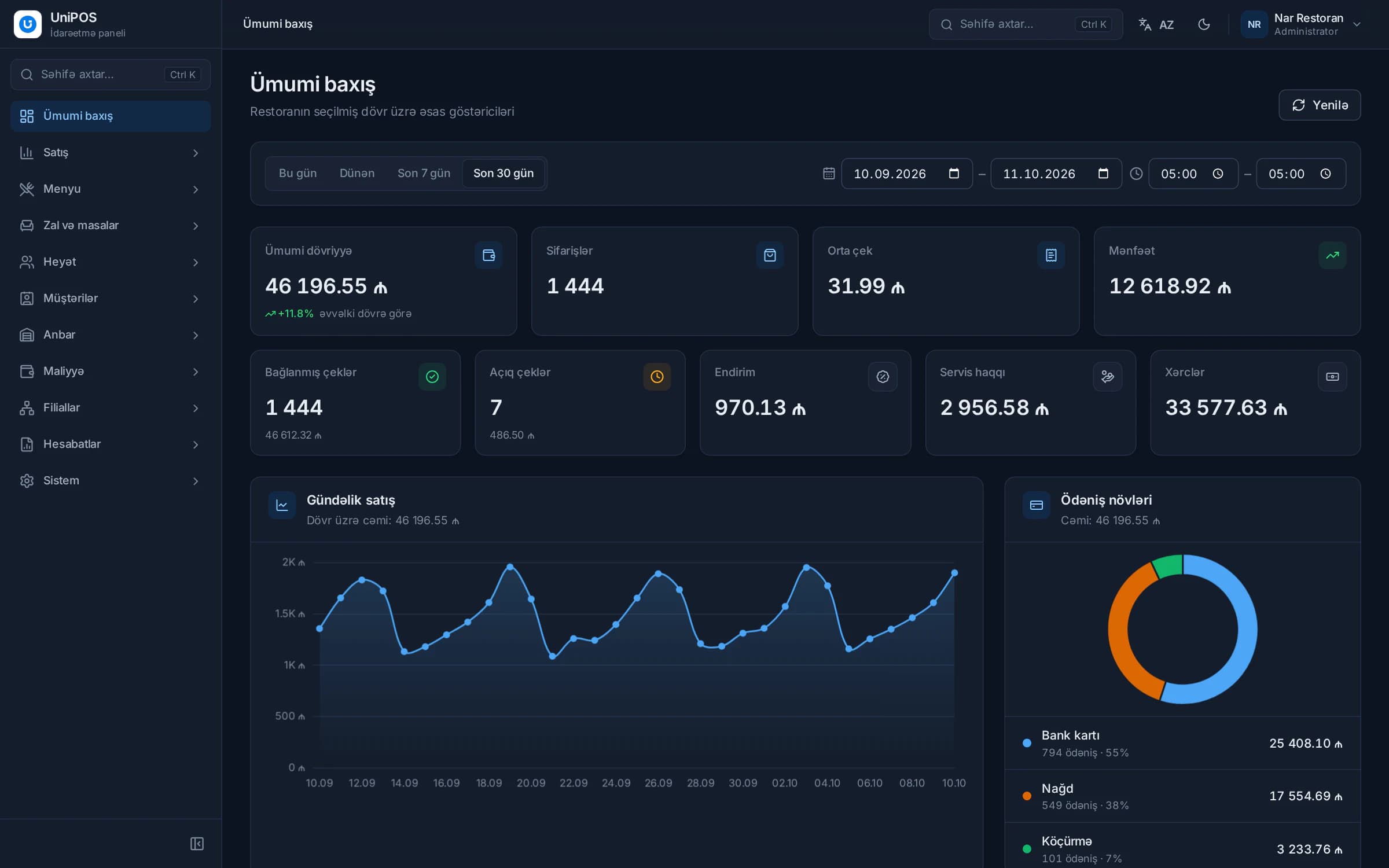
Effective reporting answers three questions: what was sold, what was earned and where money was lost. Sales by product, category, hall, waiter and payment method are the minimum. You will also need a profit report that combines income and expenses, shift reports, and Excel or PDF exports for your accountant.
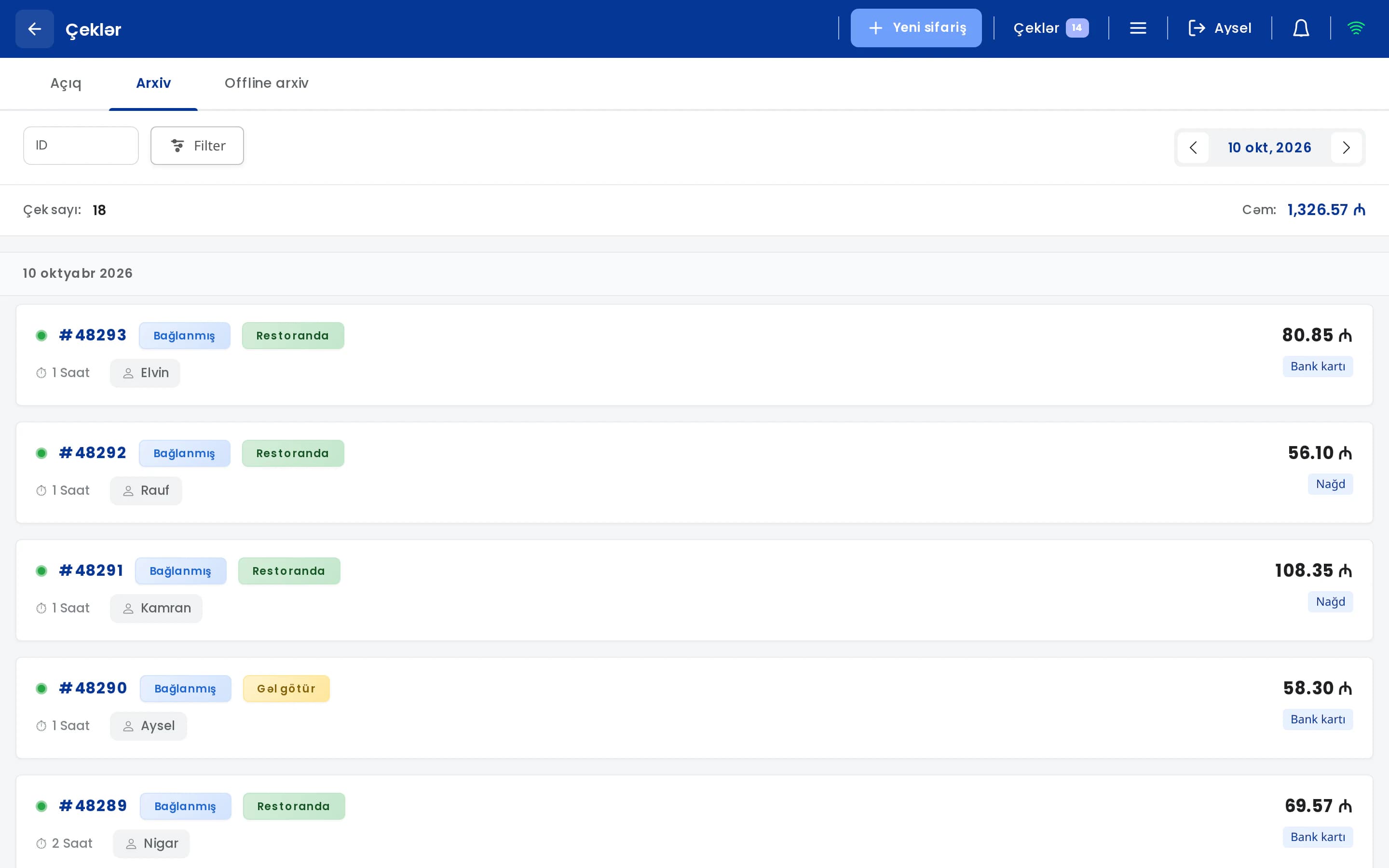
Control is a separate matter. Who voided a check, applied a discount or issued a comp, when and for what reason? Without an operation history, proving misuse is close to impossible. An owner who is not on site every day needs a mobile app that shows sales and open checks and sends an alert when a check is deleted.
It is also worth checking whether the owner can ask questions about the data. In UniPOS, the UniPOS Manager app (Android) includes an AI assistant that answers questions about sales, stock levels and expenses, typed or asked by voice, for example "Which items are running low?" The assistant is read-only: it explains the data but does not change it, and it is offered as a separately enabled module. In addition, a Telegram briefing with key figures, items that need attention and a recommendation can be sent every morning and at the end of the day.
Consider future needs as well. If you open a second branch, the system should show all branches in one account, copy the menu between them and record transfers between branches. Asking about this now costs less than replacing the system later.
Question for the vendor: Where can I see voided checks and their reasons? Which alerts does the owner app send? Can several branches be viewed together?
8. Support and setup
Sooner or later a printer will disconnect, the fiscal device will stop responding or a new employee will make an error. In such cases you need a team based in Azerbaijan that communicates in your language and understands restaurant operations. A support service located abroad that responds only by email cannot provide timely help on a busy evening.
Look beyond marketing statements to concrete terms. What are the support hours and channels (phone, WhatsApp, remote access)? Is the initial menu and printer setup included in the price? Who trains your staff? If possible, speak with several restaurants that already use the system.
Question for the vendor: What are your support hours and channels? Who carries out the initial setup?
9. Integrations
"Integration" is the most overstated term in sales presentations. A logo on a slide does not mean that orders will arrive in the POS automatically. For each integration, ask whether data is transferred automatically or has to be re-entered by a staff member.
For a restaurant, the most important connections are usually the E-Kassa provider, the waiter app, the kitchen display, QR menu orders, the owner's app and Excel/PDF export. When all of these are part of one system, there is no need to connect separate services to each other.
If you work with delivery platforms, ask specifically how those orders reach the POS. Many systems, UniPOS included, have no direct integration with delivery platforms. Such orders are entered in the POS under a "Delivery" sale type and reported separately. If you receive a high volume of online orders, estimate in advance how much time this manual entry will require.
Question for the vendor: Can you demonstrate every listed integration live during the demo?
10. Price and total cost
Comparing offers on license or subscription price alone is a mistake. Total cost also includes additional terminals and waiter devices, hardware (computer, printers, fiscal device), installation and training, updates, modules sold separately (inventory, QR menu, mobile app) and the cost of adding branches.
A low-cost system without inventory management, or one that charges extra for every new feature, becomes expensive by the end of the year. A package full of modules you do not need is also an unnecessary expense. Record every offer in the same table: all payments in the first year, recurring annual payments afterwards and one-off hardware costs. In such a comparison, "cheap" and "expensive" offers often change places. The structure of our plans is described on the pricing page.
Question for the vendor: What is not included in the price? If the contract ends, can I export my data?
Questions for the vendor
| Question for the vendor | Why it matters |
|---|---|
| Which E-Kassa providers do you support? | If your fiscal device is not supported, you will need to buy a new one or enter receipts manually. |
| What works when the internet is down? | A sales stoppage in a full dining room is the most costly failure. |
| Which actions require permissions? | Without control over voids and discounts, losses remain invisible. |
| Which devices does the waiter app run on? | Dedicated terminals increase hardware costs. |
| How does an order from the table QR code reach the POS, and in which languages is the menu available? | Manually re-entered orders lead to errors. The menu language should suit your guests. |
| Is stock deducted automatically according to recipe cards? | Without knowing food cost, prices are set by estimate. |
| Does the owner receive alerts about deletions? | This is the main means of control when the owner is off site. |
| What are the support hours and channels? | Problems often arise in the evening. |
| How are delivery orders entered? | An "integration" claim may conceal a manual workflow. |
| What is not included in the price? | Hidden costs can exceed the base price within a year. |
Demo checklist
After each demo, mark every item as yes, no or unclear:
- The fiscal receipt prints automatically when payment is closed, and refunds are processed from the POS.
- With the router switched off, ordering, payments and printing continue.
- Your newest waiter entered an order without assistance.
- Each employee has a personal PIN, and sensitive actions require permission.
- The waiter app runs on your own phones and tablets.
- Orders reach the correct printer or kitchen display.
- An order from the table QR code appeared in the POS, and the menu language suits your guests.
- Recipe-based stock deduction and a stock count were demonstrated.
- A voided check appeared in the reports with its reason.
- Support hours, channels and initial setup were agreed in writing.
- All additional costs are stated in the written quote.
How UniPOS meets these criteria
We assessed UniPOS against the same criteria. Below are its capabilities as well as its limitations.
A UniPOS demo based on these 10 criteria
During the demo we will walk through each of the 10 criteria using your own menu and answer your questions in detail. Phone/WhatsApp: +994 77 501 25 07.
Request a free demo